
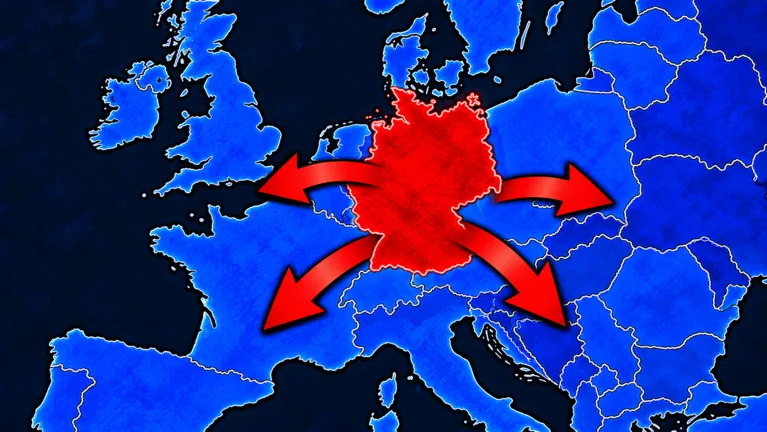
Choose your Pixel Conquest starting location on land before the countdown ends. You can move the selection again during that opening window, so use it to inspect nearby open land and the route to the coast rather than settling on the first patch you notice.
A coastal start helps you plan access to ports. It does not guarantee the best opening on every map. Check the surrounding land and nearby players to decide what you can do after the countdown.
Use the countdown to inspect the area
Choose a candidate during the opening, inspect its surroundings and move the selection if another area better fits the opening you want. Finish the check while the countdown is still running.
Look for actual land first. The interface later distinguishes open land and unclaimed plains from sea or ocean. At a coastal start, you need the land beside the water. The water itself cannot substitute for a starting land position.
Do not spend the whole window looking for a perfect country name. Player labels are not a fixed list of selectable factions, and a map label does not establish a special starting bonus.
Compare a coastal plan with a land-first plan
| Opening plan | What to inspect | Tradeoff to think through |
|---|---|---|
| Coastal access | Controlled land beside the sea and nearby room to expand | You can plan for ports, but must still pay for them |
| Open-land expansion | Unclaimed plains around the candidate location | You have a land route to evaluate before adding naval spending |
| A position near players | Visible neighboring holdings and labels | Your opening needs to account for early border pressure |
Use these checks on the map in front of you rather than treating them as a fixed spawn ranking. A coast with little useful land nearby needs a different opening from one with space to grow.
Choose a Pixel Conquest starting location where you can plan your first few moves. For an inland opening, identify the land you want to take. For naval access later, identify the coastline and budget for a separate port purchase.
Do not confuse coastal access with a free port
Ports have a visible purchase action. An early menu shows 500K, while a later menu shows 1.00M. Read your current price before budgeting rather than assuming the coastline automatically provides a port or that the early price lasts all match.
After a successful coastal build, look for PORT BUILT and a sail-style icon. The game can display these to confirm the building step; the starting selection alone does not produce them.
Choosing a coast gives you somewhere to plan naval development. You still need to grow, manage Gold and inspect the current build menu.
Reassess once territory takes shape
The selection window is only the first decision. As colored holdings spread over open land, inspect your next border and read the Army panel before committing another expansion.
Named opponents and troop counts can show up on owned territory. When they do, classify the target again. An area that looked like available space at the opening should not be treated as neutral land after another player occupies it.
You can change the first plan. Starting near water does not oblige you to take a coastal route immediately. Let the current territory, Army and Gold guide your choice between another land push and a building purchase.
FAQ
Can I change my Pixel Conquest starting location?
The opening selection can be moved again before the countdown ends. Use that window to inspect and finalize your land choice.
Is a coastal start always best?
A coast is useful for planning ports. Compare it with nearby open land and player pressure rather than treating it as a universal best spawn.
Does starting beside water give me a port?
Do not count on the selection giving you a port automatically. Ports have a separate purchase action; check the current cost and placement menu.
Are country-style names fixed factions?
Names on player holdings are player labels. Do not assume they provide faction bonuses or represent a fixed faction-selection system.